


Will Your Apps Work on Windows on Arm? Here's How to Check
According to Arm, apps accounting for over 90% of the average Windows user's application usage time now run natively on Arm. Learn how to check compatibility and plan your Windows on Arm migration with greater confidence.
Upgrading from Intel-based devices to Windows on Arm (WoA) shouldn't mean putting your existing workflows at risk. Yet concerns about legacy application compatibility, unsupported drivers, and frontline downtime often make IT teams hesitate to move forward.
The good news? According to Arm, over 90% of the average Windows user's application usage time is spent on Arm-native apps. With a growing Windows on Arm ecosystem and available compatibility resources, businesses can assess application readiness, identify potential gaps, and plan their migration with greater confidence. Here's where to begin.
Where Can I Check Windows on Arm
Application Compatibility?
Arm's official website recommends Works on WoA, an application compatibility database maintained by Linaro.
The platform allows IT teams to search for Windows applications and review documented native Arm64 or emulated x86/x64 compatibility, along with available validation records from contributors such as Qualcomm.
Instead of beginning with a lengthy list of unknowns, businesses can use this information to narrow their testing scope and prioritize applications that require further investigation.
How Compatibility Insights Benefit Your Business
Reduce Uncertainty and Evaluation Costs
Check existing compatibility records to reduce unnecessary testing, save evaluation time, and help IT teams use resources more efficiently.
Identify Risks Before They Affect Operations
Create a focused compatibility gap list to identify applications, drivers, and dependencies that need further validation, reducing potential deployment issues.
Build Confidence in Your Migration Strategy
Use compatibility data from Linaro and Qualcomm to support informed decisions, reduce migration uncertainty, and protect critical frontline workflows through targeted testing.
Windows on Arm in Action: A Unitech Success Story
A Japan-based logistics solution provider selected Unitech RT112 Windows for warehouse picking carts, ensuring compatibility with its existing Windows-based Warehouse Operation System (WOS), reducing software redevelopment efforts, and benefiting from extended battery runtime and a compact, rugged design.
Explore Windows on Arm Solutions from Unitech
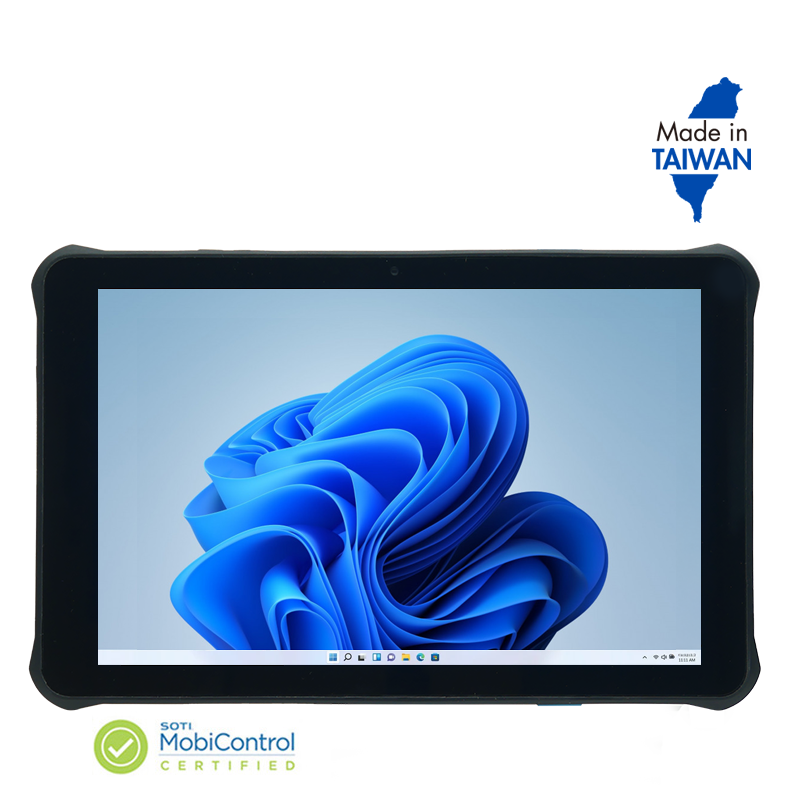
RT112 Windows
5G & Wi-Fi 6E | Qualcomm® 6490 platform | Windows on Arm | 690g with 8,800mAh battery